
What ChatGPT can tell you
- Per app: the numbers on each app's Analytics page, such as bundle revenue, popup sign-ups and cart upsell sales.
- Across apps: which EA apps you have, whether each is live on your store, and how they compare.
- Periods: the last 7 days, the last 30 days, this month or last month.
- Setup: what is live right now in each app.
- Ideas: suggestions based on your store's own setup and numbers.
- Several stores: name the store in your question, for example "How are bundles doing on my second store?"
Totals only: customer names, emails, phone numbers and addresses never go through the connector.
How to connect EA Apps to ChatGPT
ChatGPT custom connectors get full access (read, drafts and publishing) on ChatGPT Business, Enterprise and Edu; on ChatGPT Plus and Pro they are read-only, so you can ask about stats and setup. Reading stats is all this guide needs, so it works on any of those plans.
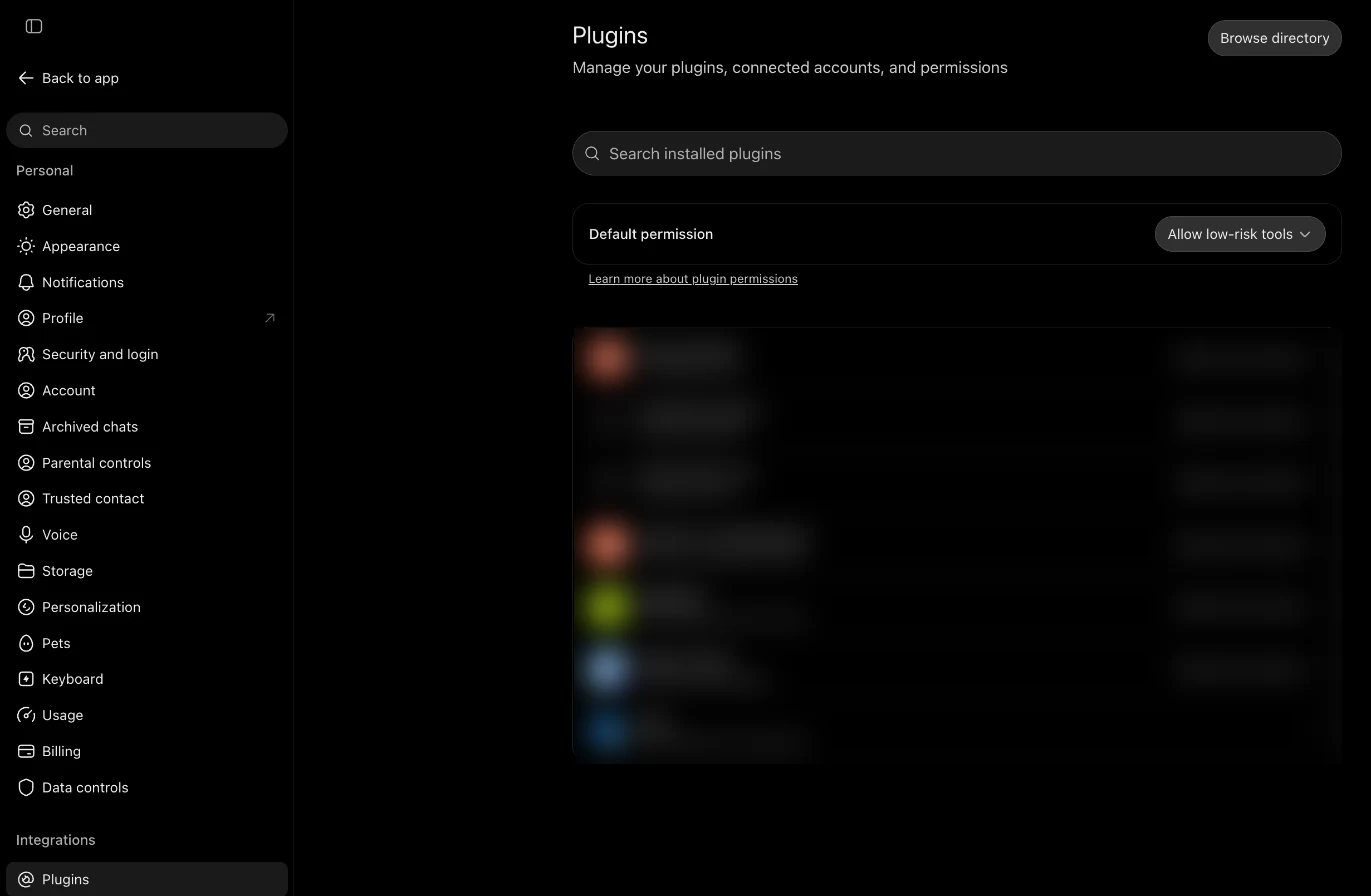
- Open ChatGPT on the web. Custom connectors get full access on ChatGPT Business, Enterprise and Edu (on Plus and Pro they can read). In a Business workspace, an admin or owner adds the connector.
- Add EA Ecommerce Apps. Open Settings › Plugins, click +, choose Add custom MCP server, name it EA Ecommerce Apps and paste
https://mcp.easyappsecom.com/mcp. - Sign in with your store. Click Sign in and pick one of your EA apps; with more than one store, type the store address first.
- Allow it in Shopify. Your Shopify admin opens that app's Connect to AI page. Check the store and the access, then click Allow.
- Ask for your stats. Start a chat and ask, for example: "What EA Apps do I have, and how are they doing this month?"
Questions to ask
- "What EA Apps do I have, and how are they doing this month?"
- "How much revenue did my bundles bring in last month?"
- "How many emails did my popups collect in the last 7 days?"
- "Compare my cart upsell sales this month with last month."
- "Which app should I focus on next, and why?"
If a number looks off, ask which period it covers, or open the app's Analytics page to see the same figures.
From numbers to changes
When ChatGPT suggests a change, it can prepare it in EA Bundles, EA Email Popup & Spin Wheel, EA Sticky Cart Drawer and the four bar apps as a draft with a preview card, on plans where custom connectors have full access.
- Drafts first. Everything the AI prepares starts as a draft with a preview card showing what shoppers will see.
- You choose who publishes. Publish a draft yourself with one click, or leave "Let the AI publish changes for me" ticked when you approve the connection. Then the AI publishes only when you ask it in the chat, and your AI tool asks you to confirm. You can turn AI publishing off for a store at any time.
- Every change can be undone. Publishes and deletes can be undone for 30 days from the card, the chat or your Shopify admin.
- Nothing lost silently. Edits made in the app meanwhile are kept; if the same setting changed, the AI asks before overwriting it.
- No customer personal data. Only totals and settings go through the connector; customer names, emails, phone numbers and addresses never do.
- Every change is recorded on the Connect to AI page of each EA app, with who asked and which AI tool, next to a Disconnect button.
Frequently Asked Questions
Can ChatGPT read my Shopify app analytics?
Yes, for EA Apps. With the EA Ecommerce Apps connector, ChatGPT reads the same numbers as each EA app's Analytics page, for the last 7 or 30 days, this month or last month.
Does ChatGPT see my customers' data?
No. The connector returns totals and settings only, never customer names, emails, phone numbers or addresses.
Which ChatGPT plan do I need?
Custom connectors get full access on ChatGPT Business, Enterprise and Edu. On ChatGPT Plus and Pro they are read-only, which covers asking about stats. In a Business workspace, an admin or owner adds the connector.
Is EA Ecommerce Apps in ChatGPT's app directory?
It has been submitted and is in review. You can add it today as a custom MCP server with the URL https://mcp.easyappsecom.com/mcp.
Can I ask about all my apps at once?
Yes. One connection covers every EA app on your store, and can cover several stores too.
Does it work in Claude too?
Yes. The same connector works in Claude on any plan, in Claude Code and in other MCP-compatible AI tools.
Ask ChatGPT how your store is doing
The EA Ecommerce Apps connector is free on every plan. Add it once and ask your first question.
See the setup steps